
Delete Citrix profile
Website Visitors:
Contents
For any user profile issues, you’d try to delete the user profile folder from Citrix app server. When user tries to login again, it creates a new profile on the server. Every profile has a folder in C:\users folder and a registry key associated with it. When deleting the profile, if you delete the folder with username in C:\users folder, it will not delete the registry key for that user. For this, goto beloow path in My computer properties given here. Click on Settings.
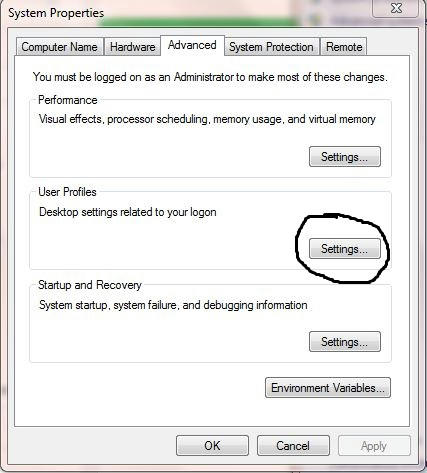
Choose user profile and delete it. This will delete both the folder in C:\users folder and the registry key as well.
You can also use regscanner and delete all entries with username in registry.
Your inbox needs more Infra & DevOps insights.
Subscribe to get our latest content by email.